Journal
When will this light come back?
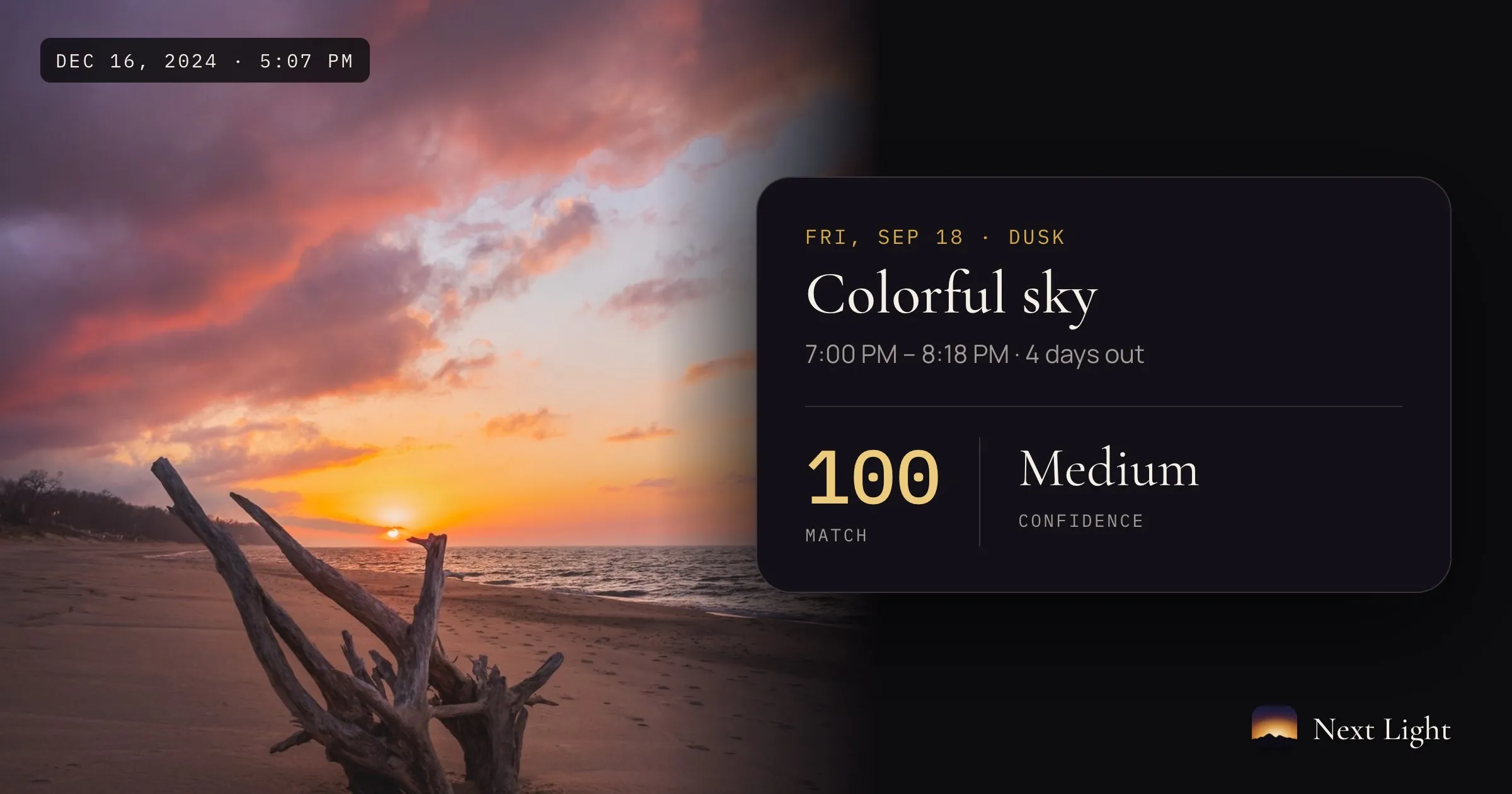
Every landscape photographer has a folder of frames like this one. A December evening on a beach, ten minutes before sunset, the clouds going pink and orange over the water while the sun slid under them. I have stood in plenty of places since, and I have missed plenty of evenings like it, because I had no way of knowing it was coming.
That is the question Next Light is built to answer: when will this light come back? This post follows that one photograph through the app, start to finish. Every number in it is real, read from the app’s own record for this photo.
Step 1: Import a photo and say what you liked about it
It starts with a photo from your library. Next Light reads when and where it was taken straight from the file, then asks the one thing it can’t work out on its own: what made the shot. For this one I picked Colorful sky. Other photos might be about fog and mist, frost, falling snow, high cirrus, or still water reflections.
It reads the light that made it
From the time and place in the file, Next Light rebuilds the sky at that minute.
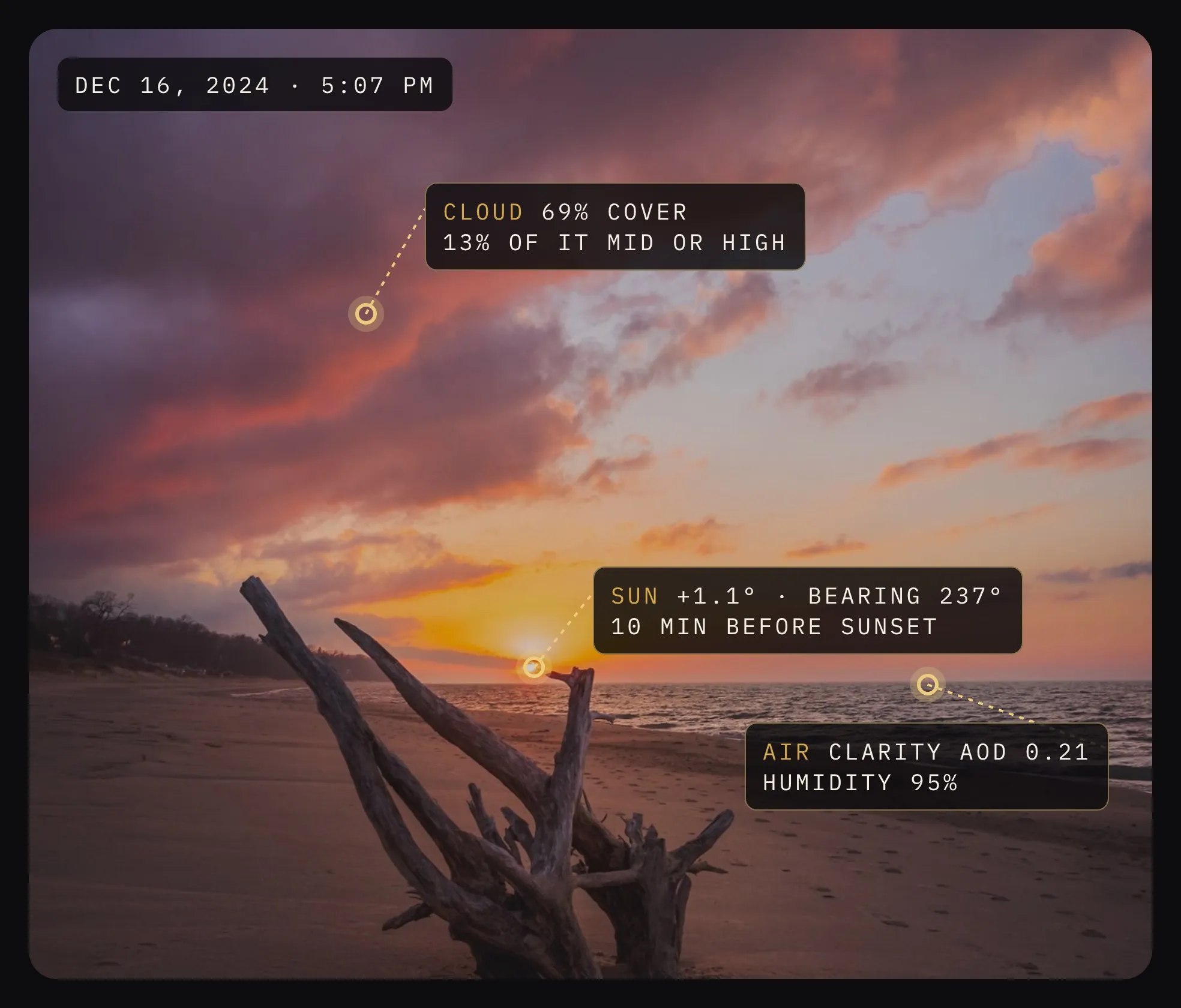
The sun was 1.1° above the horizon, coming from the west-southwest, ten minutes before sunset. The sky was 69% cloud, but only 13% of that sat at mid or high levels. The air was humid, 95%, and clear, with an aerosol optical depth of 0.21. It also worked out that the sun only sets at that point on the horizon from late November to late January.
That set of readings becomes the photo’s fingerprint. Every forecast after this gets compared against it.
Step 2: It watches the forecast
Every few hours, Next Light scores each upcoming window, up to ten days out, against the fingerprint. You set an alert bar for each photo, and a window has to clear it before you hear about anything. For this photo my bar was 65.
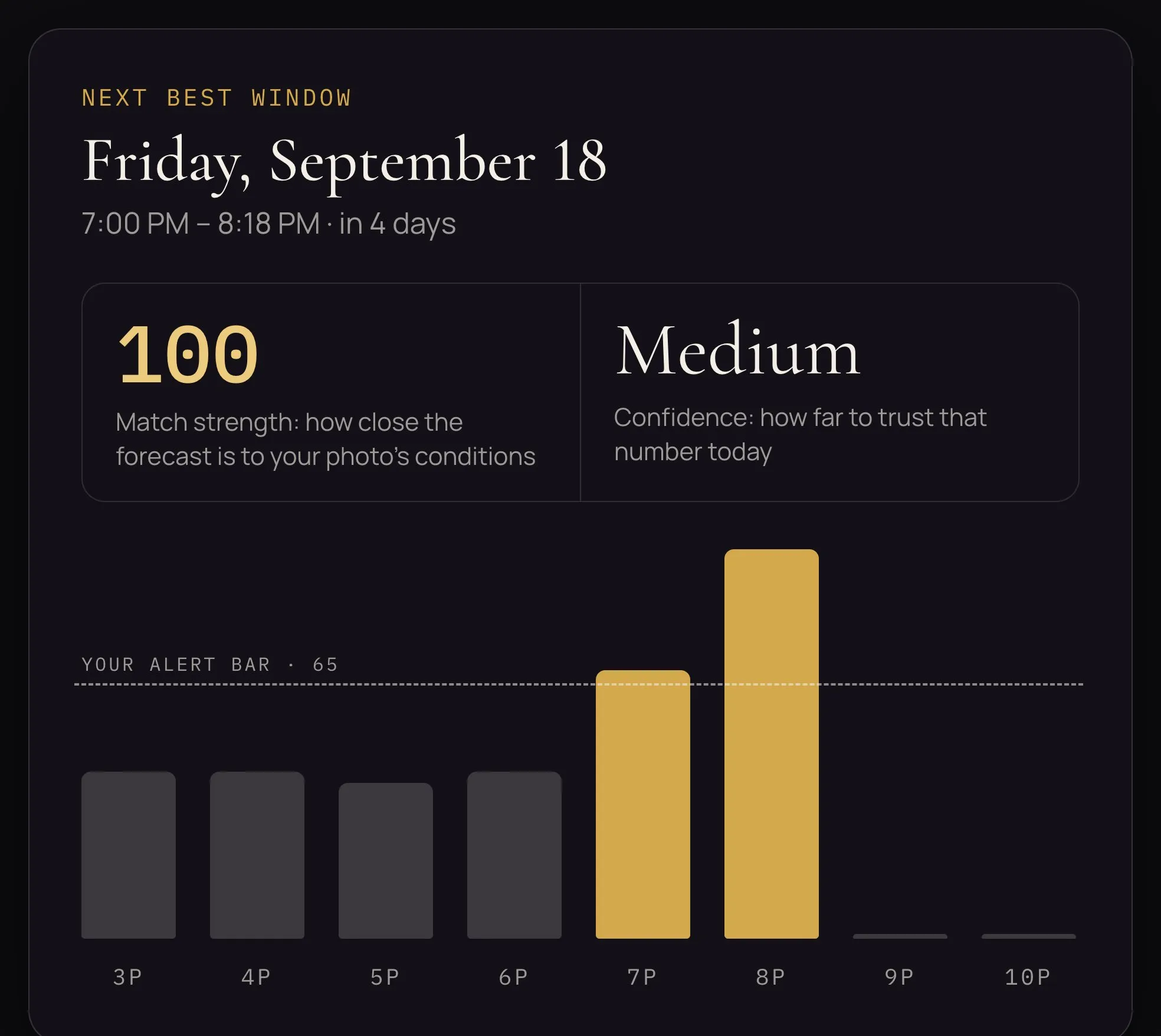
In mid September it found one. Friday the 18th, four days out, from 7:00 to 8:18 PM. The afternoon hours scored in the low 40s. Then 7 PM came in at 69 and 8 PM at 100, and the window opened.
Step 3: Every alert opens on your photo
Open the alert and the window screen leads with the photograph it matched, so you always know which light it is talking about.
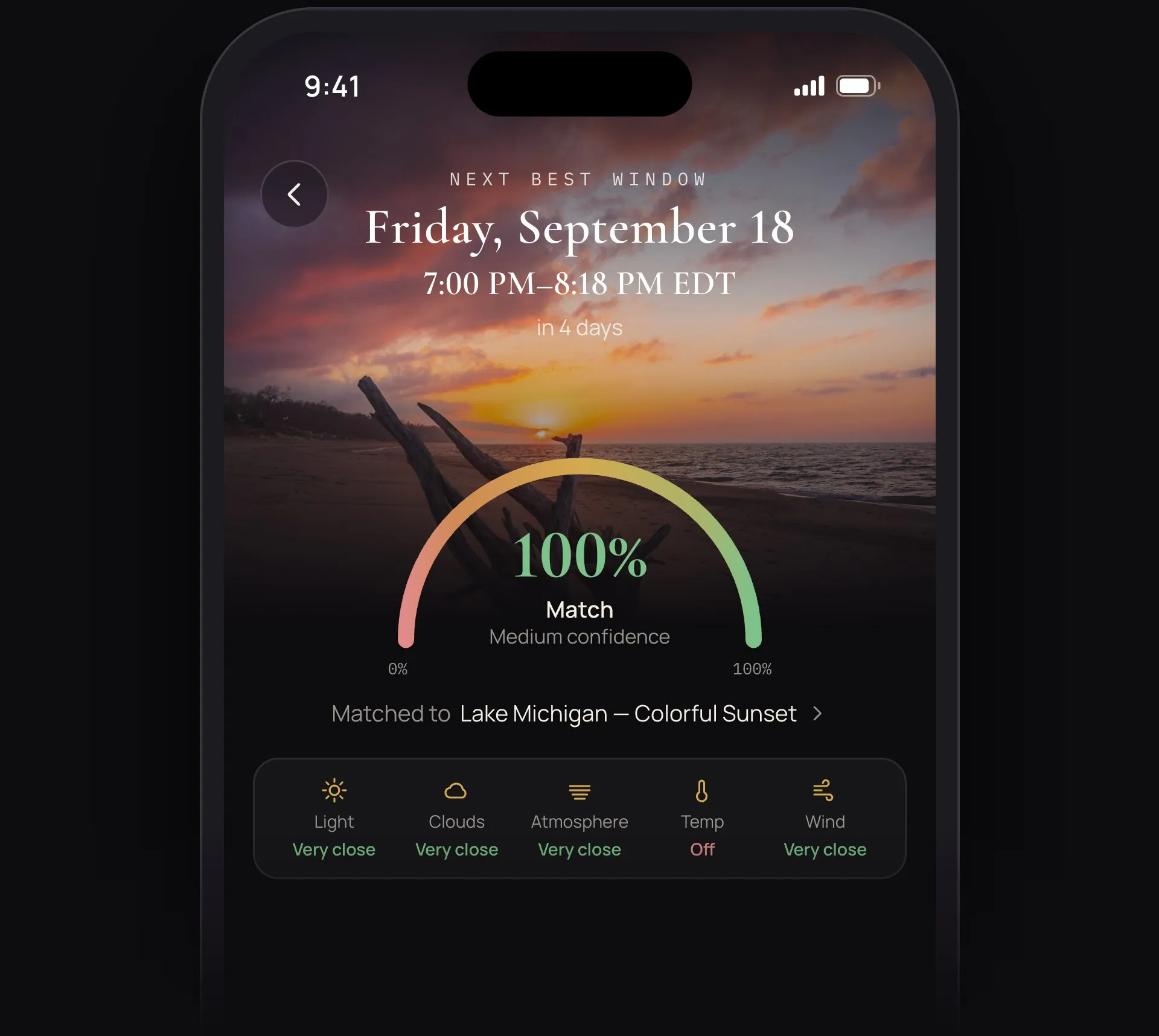
Every alert carries two numbers. Match strength is how close the forecast looks to the conditions in your photo. Here it was 100. Confidence is how much you can trust that number today. Four days out, it was medium.
Under the gauge, each part of the sky gets its own read. Light, clouds, atmosphere and wind were all very close. Temperature was off, which makes sense: the photo was 48°F in December, and the forecast was 76 to 79°F in September.
Step 4: It tells you why, and what could change
The part I use most is the explanation.
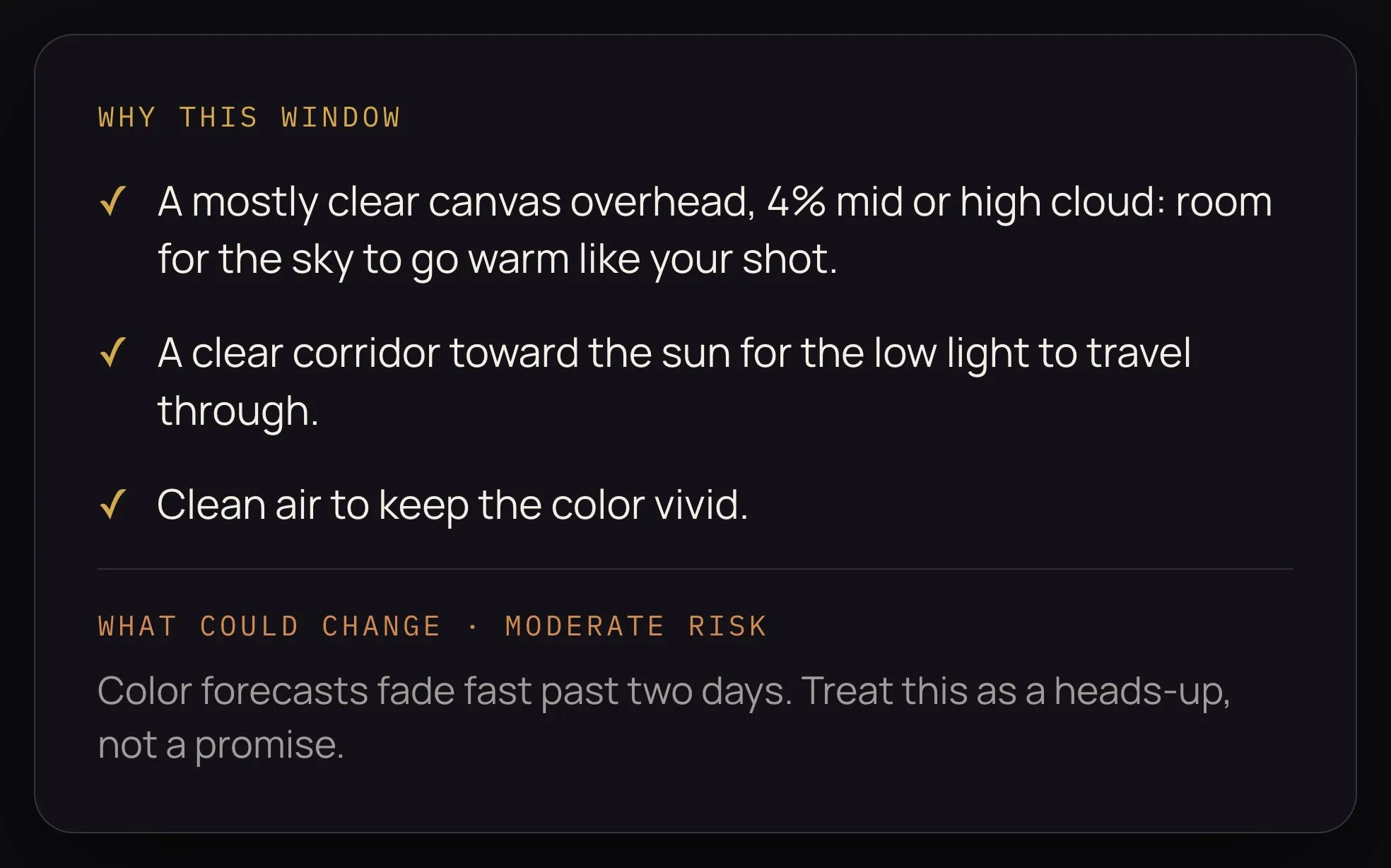
For this window, the reasons were a mostly clear canvas overhead, with only 4% mid or high cloud, leaving room for the sky to go warm; a clear corridor toward the sun for the low light to travel through; and clean air to keep the color vivid.
It was just as direct about what could go wrong. Color forecasts fade fast past two days, so treat this as a heads-up, not a promise. The window was still four days out, so the picture would sharpen. And September is a different season than December, so the ground and water might behave differently.
That is the whole loop. A photo you love goes in, and what comes back is a specific evening, a time range, two numbers, and the reasons behind them. A weather app can tell you it’ll be 77° and partly cloudy. It can’t tell you the sky is about to look like your favorite photo.
Try it on your own photos
Next Light is out on the App Store and Google Play, in the US for now. Your first photo is free, with its light record and alerts, so I’d start with the one you most want to see again.